Merry {bleep}ing Christmas everybody!
Author: Jon
-
My imdb listing
Check out my listing on the Internet Movie Database
-
Family Guy Freakin’ Blog
If you’re a fan of the Family Guy, I suggest you check out the Family Guy Freakin’ Blog
Especially check out the podcasts
-
ChChChanges…
Well as you can see I finally made some changes around here.
If you’re looking for my photo gallery you can find the link over there on the upper right-hand side.
I’m planning on using this space for my ramblings. So be prepared for some stuff that makes no sense coming in the future.
-
Star Wars: Episode One Insider’s Guide Mac Review (1999)
This post has affiliate links. If you buy through them, we may earn a small commission at no extra cost to you. Learn more.
From the archive: this review first ran on the Mac Gaming Alliance (MGA), the Mac games site that lived here on DimensionZ in the late 1990s. It was published December 1999 and is reproduced as originally written, with the original screenshots (click to enlarge). More in the Mac Gaming Alliance archive.
Publisher LucasArts Tested on Power Mac 8600/300 w/96mb RAM Gameplay 4 / 5 apples Graphics & Sound 5 / 5 apples Interface 4 / 5 apples Bugs 4 / 5 apples Overall 4 / 5 apples Reviewed by Jonathan Dreyer LucasArts takes it’s first step towards it’s return to the Mac with the Star Wars: Episode One Insider’s Guide.
 Episode One Insider’s Guide is a two CD set loaded with every single scrap of information on The Phantom Menace in existence. It combines text, pictures, audio, and movies to provide a full multimedia Episode One experience.
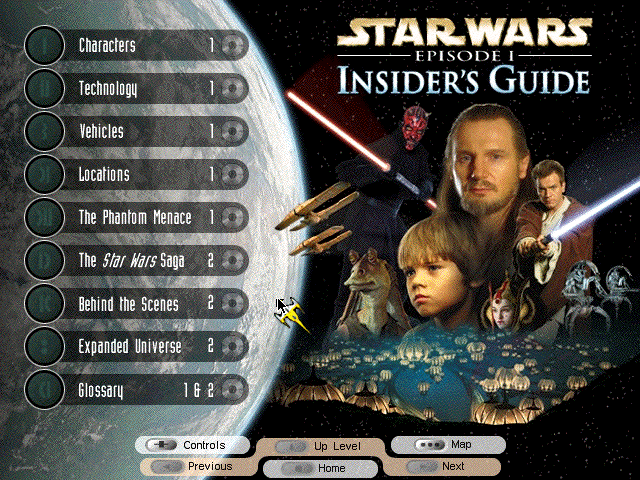
 Insider’s guide is nicely divided into sections for easy browsing on information. It includes a lot of information not seen in the movie or book. The Insider’s Guide provides names and backgrounds on pretty much every character you see on screen in the movie. So detailed and informative in the guide, that it includes names for practically everything, characters, ships, weapons, you’ve seen, it names it.
The discs are divided evenly between in-story information, and behind-the-scenes information. Disc 1 deals with the characters, technology, vehicles, and locations. It is a massive amount of background information on even the most remote part of the movie. As usual, Lucas has created the entire universe, not just the parts that the movie focuses on, but an entire universe of people, places, and things. All of the information on the characters, technology, vehicles and locations is organized by groups. Different sections for the Sith, Trade Federation, Naboo, etc… Most major entries include galleries of pictures, audio clip, and video clips from the movie itself.
 Disc 2 deals with more of the behind the scenes information. It includes hundreds of behind the scenes photos detailing the making of the movie, along with many behind the scenes video so you can see and hear the making of the Phantom Menace. Also on disc 2 is the “Expanded Universe” section. This section has listings for every single movie tie-in, from toys to books to games, they’re all listed and include photos.
The interface, although lacking several of the usual Mac amenities, is nice and friendly. The information is easy to navigate to find what you’re looking for. I found the buttons on the bottom of the the window not to be as useful as they first seemed, especially the “Next” and “Up Level” buttons which I found a a little awkward in actual use.
 The only thing that really annoyed me about Insider’s Guide is that it only runs in 640 by 480 resolution. If your resolution is at a higher setting, it will run in a window. Now some people may prefer that it didn’t force you to change resolutions, but I would have preferred an options box at the beginning asking me if it could change to the lower resolution. That’s isn’t a detractor from the actual guide, but just a pet peeve for me.
In conclusion, Star Wars: Episode One Insider’s Guide is an informative and fun look at all of the aspects of the movie. It is not a stellar first step back to the Mac market for LucasArts, but it is a step in the right direction. I can’t wait for Pod Racer on my Mac, and Insider’s Guide is a nice appetizer in the meantime.
Find a copy
Star Wars: Episode One Insider’s Guide has been out of print for years, but used copies of the original Mac release still turn up, and some classics have been re-released for modern systems. Search for Star Wars: Episode One Insider’s Guide on Amazon.
-
Age of Empires Mac Review (1999)
This post has affiliate links. If you buy through them, we may earn a small commission at no extra cost to you. Learn more.
From the archive: this review first ran on the Mac Gaming Alliance (MGA), the Mac games site that lived here on DimensionZ in the late 1990s. It was published December 1999 and is reproduced as originally written, with the original screenshots (click to enlarge). More in the Mac Gaming Alliance archive.
Publisher MacSoft Tested on B&W 400 mhz/128 RAM OS 8.6 Gameplay 5 / 5 apples Graphics & Sound 5 / 5 apples Interface 5 / 5 apples Difficulty 5 / 5 apples Bugs 5 / 5 apples Overall 5 / 5 apples Reviewed by Marty Dodge What a concept! A strategy game for the Mac that is not a sequel. This is not just another game that has been updated to take into account the new technology available to Mac users. Granted this is a port of a game that has been out for the PC for a long time, has an interesting add-on and it about to see its sequel. Of course because of this you have access via the web and in book form to lots of information, cheats and hints on how to win this sometime diabolically hard game. The training mission(s) are well worth starting on. They may seem a tad easy and dull at first but that soon changes. The instruction book is very useful, but not that necessary. In addition, the game includes a helpful tip sheet that contains all sorts of useful information that can be accessed in an instant. Another advantage to Mac users is that PC users find any problems with the game.
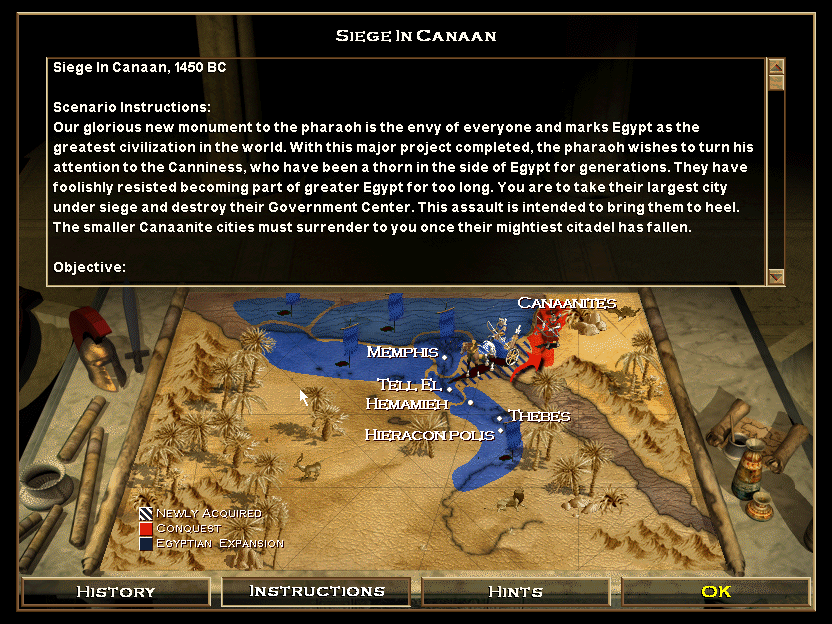
 As you may know, Age of Empires is Microsoft’s ground breaking strategy game where you guide a civilization from the stage of hunter- gathers all the way up to the Iron Age. Most of these civilizations are based around the Fertile Crescent in the Middle East. You have many to choose from, each with distinct advantages and disadvantages on the path to the Iron Age. For the most part the descriptions of the tribes are historically accurate. Not surprisingly a tribe that got its start on an island chain is better at sea craft than a landlocked one. You have a choice of playing scenarios in a campaign to greatness or starting on a random map ranging from small to huge, with your choice of number of opponents and type of terrain. Be warned however that a huge map with a large number of civilizations can be taxing to even the fastest of Mac systems.
As can be expected from this type of game there is a significant multiplayer element to Age of Empires, allowing you to play over a LAN or the internet. LAN play, unlike Civ II Gold is easy to set-up and very stable. I have played at least 6 games in varying settings and never once had a crash. I ran this on a 100baseT Ethernet LAN with Hub between a B&W 400/128 and G3 233/32. We had no problems and it was an absolute blast, even when my friend and I both got our tails kicked by computer opponents. There is a deathmatch setting in which you are given all the resources you could ever need in an elimination race for supremacy. You may play over either Appletalk or TCP/IP. I understand that there are some problems with internet based play but these problems have not caused anywhere near the outpouring of frustration caused by CivII Gold.
 The interface on this game is amazingly good. Your units are large enough so that it is very hard to lose them in the fray unlike similar cases in other games of this type. As someone who has played the PC version of this game, I can tell you Macsoft have done an amazing job of improving the interface. I found the game much easier to play that the PC version. Once I got used to using the mouse and the Apple key at the same time to give orders. Never once have I had the frustration of units getting lost or not doing as I tell them. You still have to pay attention and to send units in a as straight a line as possible as to not get them hung up, but much less than other games of this type.
The animation in this game is nothing short of amazing, even down to being able to watch each villager cut a tree and collect wood. The cut-scenes and FMV are a pleasure to behold, especially after you have emerged victorious from one scenario or other. The only real frustration in gameplay is the limit of 50 total units at any one time. The easy way to avoid this limit is either by getting some of your lesser units killed or by hitting the delete when you have selected a unit. A tad crude but effective. On the PC there was a patch which allows this limit to be overcome, hopefully we shall see this on the Mac as well.
 This game is highly addicting and you can expect to lose sleep, as a result of the longer scenarios. As with most games, you know its good when you are unable to tell that time has elapsed. Playing AoE 3 or 4 hours straight when involved in a long scenario is not unusual. Fortunately, it is possible to save the game at any time and the scenario orders are available at any time in the game should you forget what you were suppose to be doing. In most of the levels it is possible to win two different ways, either achieving the victory conditions or by wiping out all your opponents. This latitude allows endless play that will keep you occupied for months to come. Those who are builder types, can even create their own scenarios to challenge their abilities.
As far as I am concerned, this is the best game of its type ever made for any platform. I hope that Macsoft and Microsoft will be able to bring the sequel Age of Empires II, which runs from Rome to the Middle Ages to the Mac. This an absolute must for anyone who has even a passing interest in anything other than shoot’em up type games. There is enough action to keep action fans happy and enough strategy to keep strategy fans happy. I never thought Warcraft II would ever be topped in my all time great games list but Age of Empires has done just that.
 An essential purchase for all mac gamers. If you rush, you can get a $10 mail-in rebate from Macsoft.
Editor’s Note: As of 8/02/99, this is only the second game ever to get a perfect score by the MGA.
Find a copy
Age of Empires has been out of print for years, but used copies of the original Mac release still turn up, and some classics have been re-released for modern systems. Search for Age of Empires on Amazon.
-
Quake II Mac Review (1999)
This post has affiliate links. If you buy through them, we may earn a small commission at no extra cost to you. Learn more.
From the archive: this review first ran on the Mac Gaming Alliance (MGA), the Mac games site that lived here on DimensionZ in the late 1990s. It was published August 1999 and is reproduced as originally written, with the original screenshots (click to enlarge). More in the Mac Gaming Alliance archive.
Publisher Activision, Ported by Logicware Tested on B&W G3 400Mhz w/128 mb RAM Gameplay 4 / 5 apples Graphics & Sound 4 / 5 apples Interface 4 / 5 apples Difficulty 4 / 5 apples Bugs 4 / 5 apples Overall 4 / 5 apples Reviewed by Marty Dodge Quake II came out at a rather sad time for Logicware; their buddies at ID had just released Quake3test and damn if it wasn’t released for the Mac FIRST! You would think amidst all the hype and gloating of Q3test, QII would have gotten lost in the shuffle, especially for those only interested in the multiplayer aspect of QII.
 To be honest, I thought QII was too little too late when it first came out for the Mac, having come out over 6 months after its PC version. It seemed to me that Q2 was blinded like many games by the tour de force that is Q3test. That was before I discovered the pleasures of GameRanger beta (soon to be shareware,) a nifty little piece of software that allows online players to find other Mac gamers to battle with from all over the world. Then in a bit of luck for old Logicware, ID messed up its test releases for Q3 and delayed the Mac version (but not the PC or Linux) for almost a week. Suddenly denied of my Q3test fix, and then unable to get to Beta 1.08 working for another week, QII began to look at lot more interesting. I suspect that I was not the only feeling this way.
 Believe me, once you play QII online, you will find it pretty damn near addictive. With its larger variety of maps, from Capture The Flag to Action Quake II (both of which work on the Mac), it takes a lot to get bored with QII. Q3test still only has three maps, and now is even worse for high pingers, due to some network coding changes. QII however has some of the best network coding I have ever seen. It runs smoothly and is playable at all but the highest of ping rates. You might not win but with a bit of skill, it is possible to get in the upper third of the rankings, and very possible to have a hell of a lot of fun in CTF.
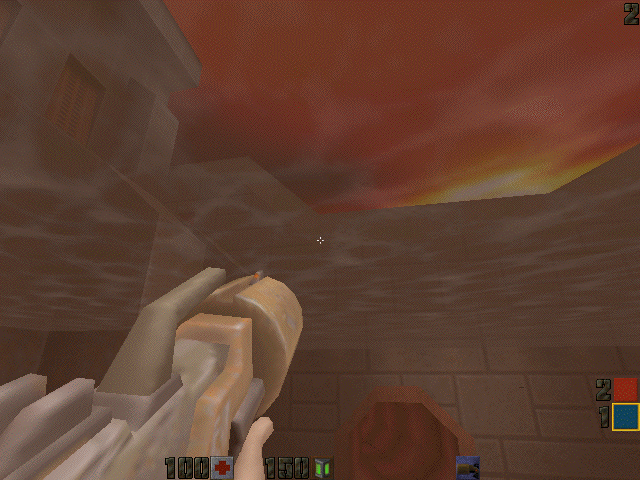
 But wait, some may say, how about the solo play? Well as you would expect from a Quake game, the solo play is not much to write home about. For one thing, despite my setting my game video settings to max, it was too dark to see anything. The plot is Quake-like: pretty non-existent. The baddies are nasty looking alien creatures with all sorts of cybernetic enhancements. The most impressive are the diabolical Tank and Tank Commander. Some of the movement for the monsters is a big ungainly and nowhere near as graceful as say the aliens in Unreal. The AI falls short of that in Unreal, and the levels are just not that exciting. In short, if you are looking for satisfying solo play, other than basic practice with the weapons for Internet play, consider purchasing Unreal or Klingon Honor Guard instead. Graphically QII does not hold a candle to Unreal or KHG or even Dark Vengeance. There is one bonus from the its non-intensive graphic engine; the fact that requirements for QII are way below that of any of the games listed above, Q2 is not a RAM pig like Unreal and runs quite smoothly at 60 Megs of RAM dedicated to it as compared to base 96 for Unreal.
 QII requires OpenGL and a 3D card in order to be seen in its full glory. On the box it states that this is limited to Rage 128 only, however you can download the latest Mesa Drivers to play it with your Voodoo card. The game also requires OS8.1 (for 3D accelerated play, 7.5.3 for non-accelerated software mode), at least a 603e PPC, 4x CD-ROM drive, virtual memory and 48 Megs of minimum RAM to run. Logicware have produced a good port, that while having a PC-ish feel, is still user friendly enough for a Mac user. Moreover this port is very stable both in solo and Internet play.
I would highly recommend this game to anyone interested in high speed, adrenaline filled on-line or LAN based Deathmatch play, but for anyone looking for solo thrills, look elsewhere.
Find a copy
Quake II has been out of print for years, but used copies of the original Mac release still turn up, and some classics have been re-released for modern systems. Search for Quake II on Amazon.
-
Rocky Mountain Trophy Hunter Mac Review (1999)
This post has affiliate links. If you buy through them, we may earn a small commission at no extra cost to you. Learn more.
From the archive: this review first ran on the Mac Gaming Alliance (MGA), the Mac games site that lived here on DimensionZ in the late 1990s. It was published around 1999 and is reproduced as originally written, with the original screenshots (click to enlarge). More in the Mac Gaming Alliance archive.
Publisher MacSoft Tested on PowerMac G3 233 130 RAM (VM on) Overall 2 / 5 apples Reviewed by Marty Dodge Rocky Mountain Trophy Hunter, with even more locations to shoot virtual game, is the follow-up to blindingly dull Deer Hunter. (The game not the movie.) Macsoft claims that the original is a top five selling game for the Mac. Quickly following the release of DH, this just in time for Christmas sequel, promises more guns and more types of game to track and hunt. Included with the game is an insert with all of the hunting and fishing titles published by Wizworks, presumably all of these games, including Deer Hunter II will make it to the Mac if DH and TH do well.
Trophy Hunter: Interactive Big Game Hunting, has got to be the second dullest game ever created for any platform (Deer Hunter being the first). The point of this game is to track and shoot big game. You can use a rifle, shotgun, bow, muzzle-loader or six shot revolver to kill big horn sheep, bear elk and moose. The practice area is now included in the hunting screen, so you can practice your aim, with any of the weapons featured. There is a constant chatter from a coach who compliments or criticizes your aim. Of course being on a computer there is no feedback from the weapon. There is no feel for the kick of the pistol or shotgun nor is there the feeling of release when the arrows leaves the bow. Maybe Deer Hunter II should be a candidate for “force feedback” add-ons.
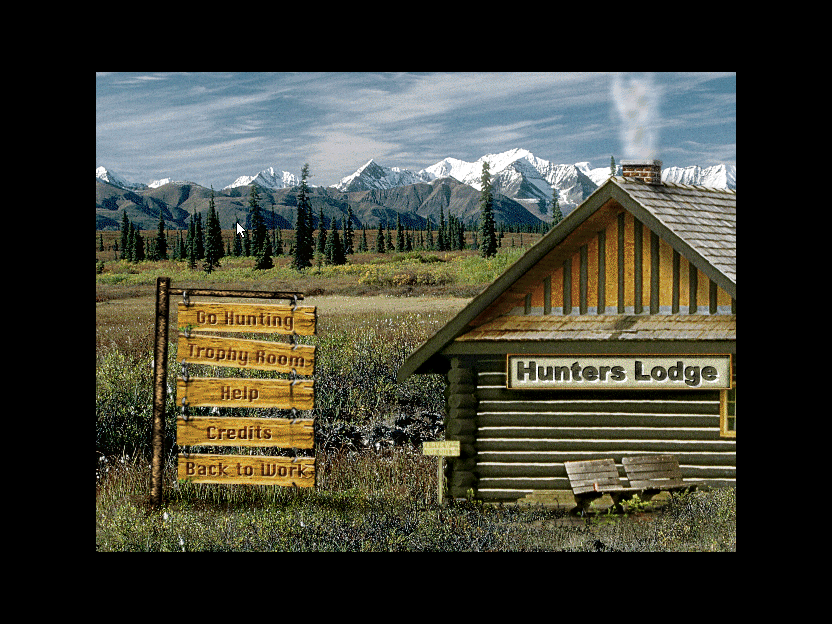
The only realism in this game is the long wait for an animal to come into your sights. You can help yourself with the aid of a call, bait and musk. There is also a choice of using a stand to sit on and. If the rifle scope is not enough for you, there are binoculars and a spotting scope to help you find prey. In addition to the “Tools of the Trade” the aerial maps contain hot spots, a compass and wind indicator, and things like tracks, markings, blood trails and rubbing areas. When and if you hit anything it is recorded in a Trophy Room, with the head of an animal and a description.
The graphics are basic although if you are unlucky you can encounter climate and extreme weather, the sounds are basic, if accurate. Because the game is so basic and simple the requirements are pretty low. PowerMac, OS 7.1, 16 RAM, color monitor and 80 MHz or faster. As with Deer Hunter, the low requirements and lack of high-tech graphics mean there are no obvious bugs.
One good thing about this otherwise dullard of a game is the fact that some of the proceeds of the game will be donated to Wildlife Forever, an organisation dedicated to maintaining America’s wildlife heritage, a noble cause indeed.
Find a copy
Rocky Mountain Trophy Hunter has been out of print for years, but used copies of the original Mac release still turn up, and some classics have been re-released for modern systems. Search for Rocky Mountain Trophy Hunter on Amazon.


